Background
In the MEC mapper, calling a web service is a general scenario. There are few ways to do it. One method is build the SOAP request Payload in a string and submit via POST method. (as below code snippet)
 1
 2
 3
 4
 5
 6
 7
 8
 9
10
11
12
13
14
15
16
17
18 |
java.net.URL obj = new java.net.URL(iURL);
java.net.HttpURLConnection con = (java.net.HttpURLConnection) obj.openConnection();

con.setRequestMethod("POST");
con.setRequestProperty ("Content-Type","text/xml");
con.setRequestProperty ("Accept","text/xml");

String itemStr = "<soap:Envelope xmlns:xsi=\"http://www.w3.org/2001/XMLSchema-instance\" xmlns:xsd=\"http://www.w3.org/2001/XMLSchema\" xmlns:soap=\"http://schemas.xmlsoap.org/soap/envelope/\">"
			+ "<soap:Body>"
			+ "<GetItem xmlns=\"http://tempuri.org/\">"
			+ "<itemNumber>KelumG</itemNumber>"
			+ "</GetItem>"
			+ "</soap:Body></soap:Envelope>";
con.setDoOutput(true);
java.io.DataOutputStream wr = new java.io.DataOutputStream(con.getOutputStream());
wr.writeBytes(itemStr);
wr.flush();
wr.close();
|
This is very primitive and takes lot of times of developer. Also it hinders the code readability & maintainability.
From this post I’m going to tell you a cleaner way, rather simple way. We, programmers, know easy way to call web service is using Proxy objects/classes.
Proxy objects are type of representations of the web service for the programming language we are using.
Solution
- Create Proxy class from the web service.
The service I’m using for this post is http://localhost:4599/HelloService.asmx?wsdl (refer below P.S. section). There are few tools to create proxy classes in java (wsimport, axis2, java2wsdl etc. ). Here I’m using wsimport with following argument.
-d KG : store generated class into KG folder
wsimport -d KG http://localhost:4599/HelloService.asmx?wsdl command to create proxy classes.

- Create jar file for the generated files.
Using command line: https://docs.oracle.com/javase/tutorial/deployment/jar/build.html
Using Eclipse: http://help.eclipse.org/neon/index.jsp?topic=%2Forg.eclipse.jdt.doc.user%2Ftasks%2Ftasks-33.htm
Note:
There are limitations for customer JARs. ( Page # 85, Business Document Mapper, Version 11.4.3.0)
Package
To use a Java class from a Custom JAR in a mapping, the class has to use a package. The default package, that is no package, will not work. Note that you have to enter this package for all references to the custom class in the code for Java functions within a mapping.
Javadoc, encoding
If you want to get Javadoc in the mapping Java editor when using a Java class from a Custom JAR, the Java source code, that is, the .java file, must be included in the Custom JAR. The .java file must use the character encoding UTF-16, otherwise no Javadoc will be shown in the mapper. This is because the files for the mapping use that encoding.
- In the map add reference to this custom JAR file.
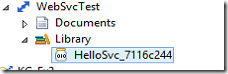
- Simply call the service just like a method.
1
2
3
4
5
6 |
private void callWebSvc() throws Throwable {
	// Please implement me
	org.tempuri.HelloService hs = new org.tempuri.HelloService(new java.net.URL(iUrl));
	org.tempuri.HelloServiceSoap hsoap= hs.getHelloServiceSoap();
	oItem = hsoap.getItem(iItem);
}
|
P.S:
For this post I have created a mock web service (.asmx ) using C# and hosted in IIS. Sample code as below.
 1
 2
 3
 4
 5
 6
 7
 8
 9
10
11
12
13
14
15
16
17
18
19
20
21 |
namespace WebServiceApp
{
    [WebService(Namespace = "http://tempuri.org/")]
    [WebServiceBinding(ConformsTo = WsiProfiles.BasicProfile1_1)]
    [System.ComponentModel.ToolboxItem(false)]
    public class HelloService : System.Web.Services.WebService
    {
        [WebMethod]
        public string GetItem(string itemNumber)
        {
            return new ItemService().GetItem(itemNumber);
        }
    }

    public class ItemService
    {
        public string GetItem(string itno)
        {
            return string.Format("Item {0}",itno);
        }
    }
|


